StitchSketchEx User Manual
This page acts as a chapter landing page. In a larger manual, this is where you would explain the workspace, file manager, and platform-specific notes.
First steps
- Launch StitchSketchEx.
- Review the file manager screen.
- Pick the workflow you want to perform.
Recommended structure for real chapters
- Keep one concept or workflow per page.
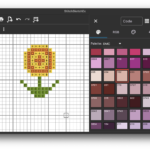
- Put a screenshot directly after the step it explains.
- Use child pages when a chapter becomes too long.
Continue with Create a chart.