MusicKeyRoll User Manual
This is the main screen shown when the app starts.
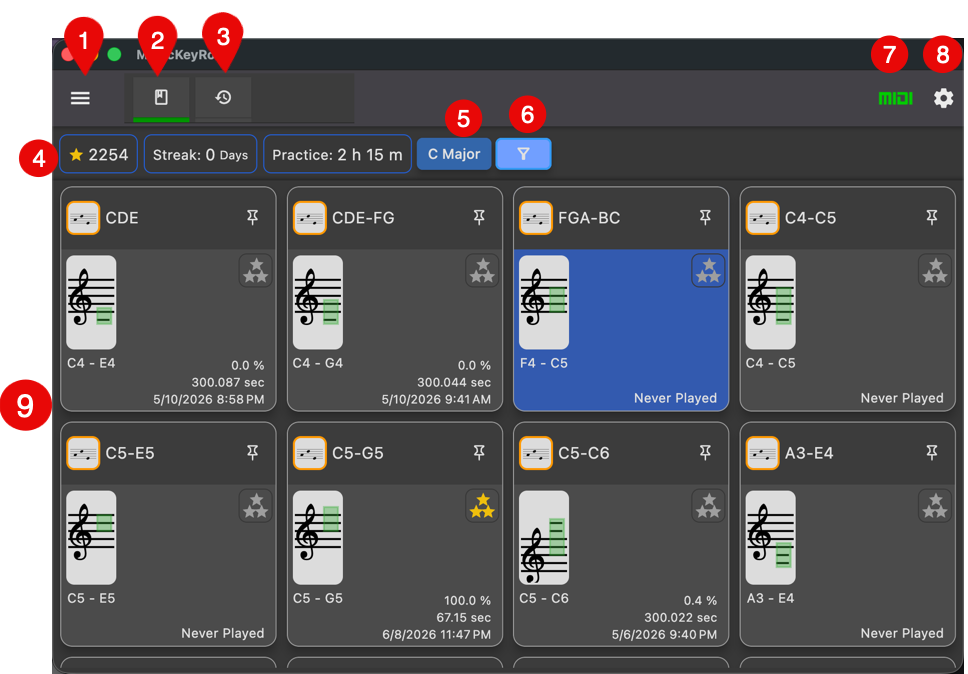
- Open Application Menu
- Lesson tab (this screen). The green underline indicates the currently selected tab.
- History Tab
- Lesson progress information.
- Stars earned
- Lesson Streak in days
- Total practice time
- Key signature selector. It shows the current key signature.
- Lesson Card Filter. See below.
- MIDI connection check button. Red: Not Connected, Green: Connected
- Settings
Lesson Card
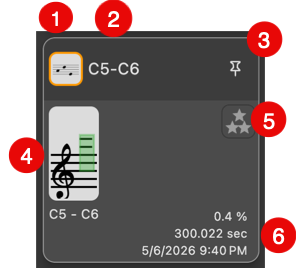
- Lesson Type Icon
- Note range of the lesson
- Pin button for pinning the card.
- Visual representation of the note range of the lesson
- Practice accuracy indicator
- Practice progress information.
- Completion rate
- Time taken to complete the lesson
- Date/time of the last lesson
Lesson Card Filter
You can use this filter to change which lesson cards are displayed.
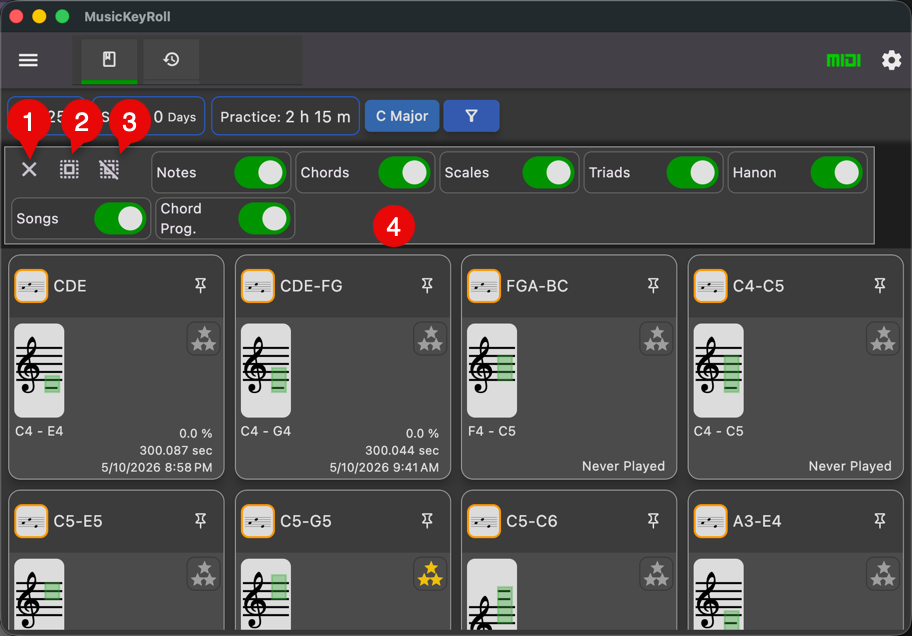
- Close the filter
- Turn on all switches
- Turn off all switches
- Filter switches