StitchSketchEx User Manual
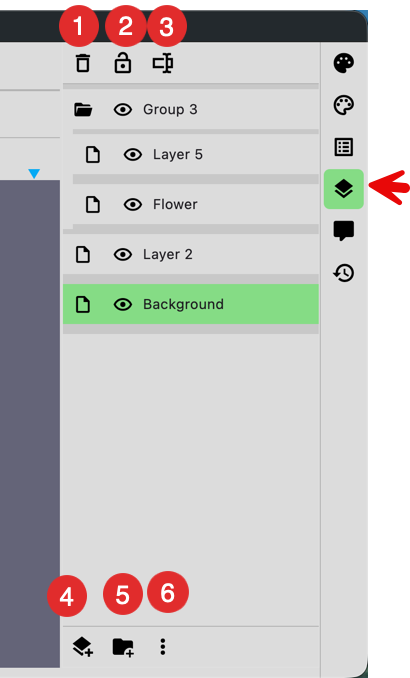
- Delete the selected layer
- Lock the layer. If locked, you can’t draw on it.
- Rename the layer
- Add a layer. A new layer is added above the current layer.
- Add a folder.
- More options (see below)
Layer items in the list can be dragged and dropped to reorder them.
More Options
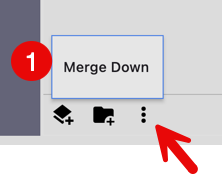
- Merge the selected layer with the layer below.