StitchSketchEx User Manual
First steps
- Launch StitchSketchEx.
- The file manager opens as the home screen.
- You can manage your charts here.
- Set up the workspace folder (Windows/macOS) (See below)
- Start creating a chart using one of the following methods:
Set up the Workspace Folder
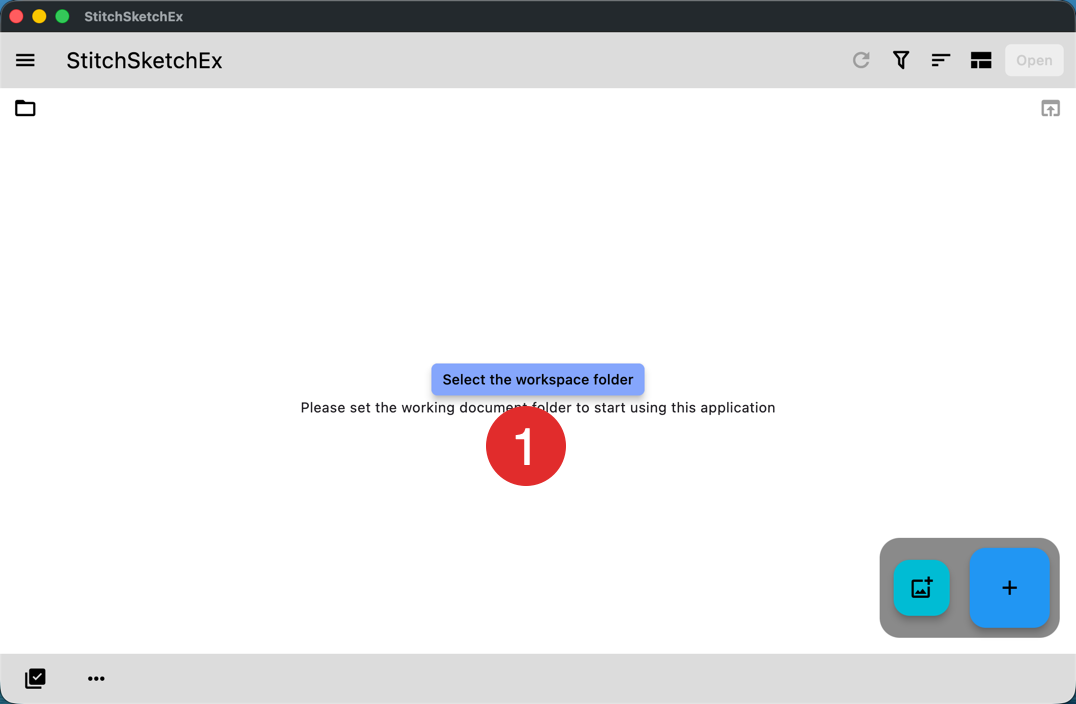
The first time you use the app on macOS or Windows, you need to select a workspace folder. StitchSketchEx stores your chart files in this folder.
- Click the “Workspace Folder” button to choose the workspace folder. A folder selector dialog box appears.
After you select the folder, the file manager screen looks like this.
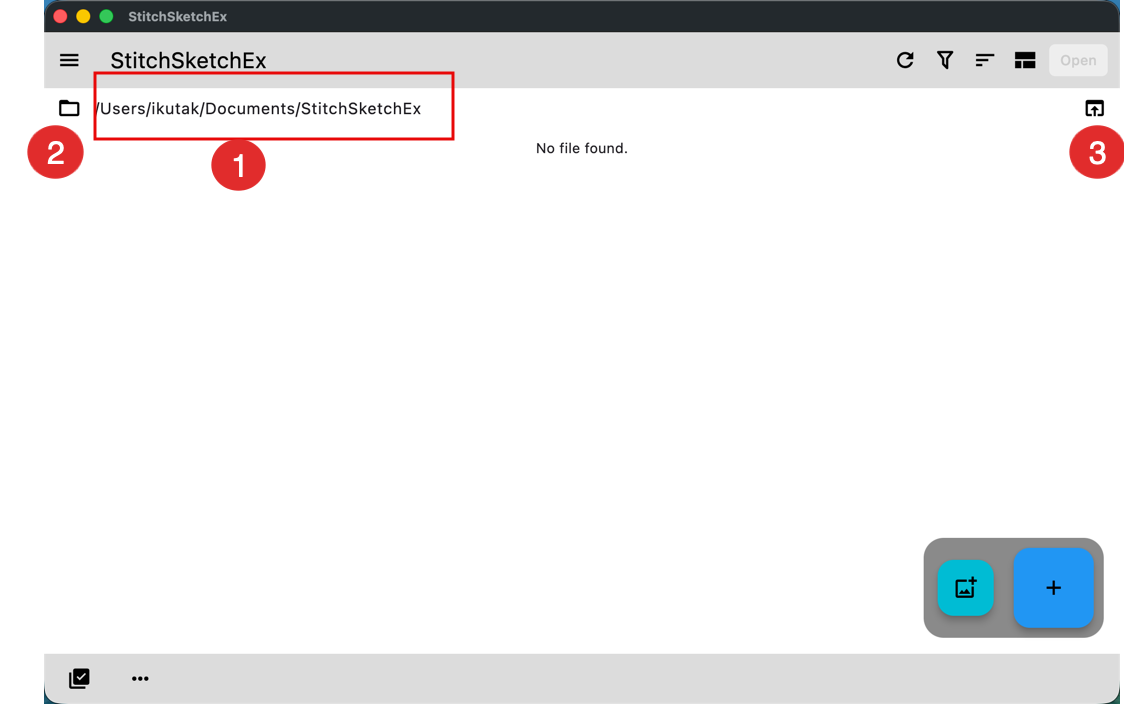
- The folder path you selected.
- Workspace folder button. Use this button if you want to change the folder.
- Open folder button. Use this button to open the folder in Windows Explorer or Finder.