StitchSketchEx User Manual
Cell Shape Drawing
Use these tools to draw shapes on cells. You can select the shape type.
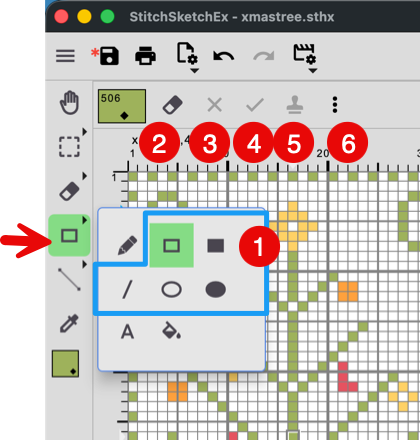
- Shape types
- Rectangle frame
- Filled rectangle
- Line
- Ellipse frame
- Filled ellipse
How to draw
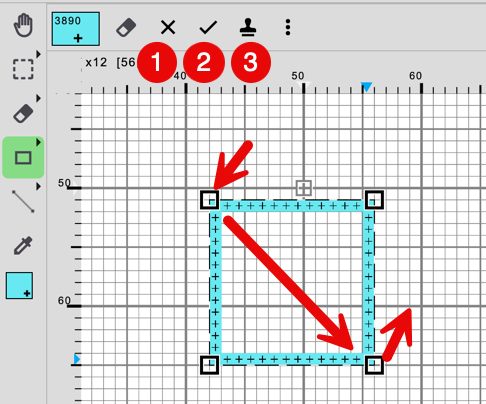
Click the starting point, hold the mouse button while moving, and release it at the end point. Once done, a “drawing frame” appears. You can adjust the shape using anchors (small boxes). Then, you can use the buttons on the toolbar.
- Cancel it
- Finish it
- Stamp it. Draw it in place, then continue moving the drawing frame. You can stamp it as many times as you want.